Part of our guide to restaurant marketing ideas
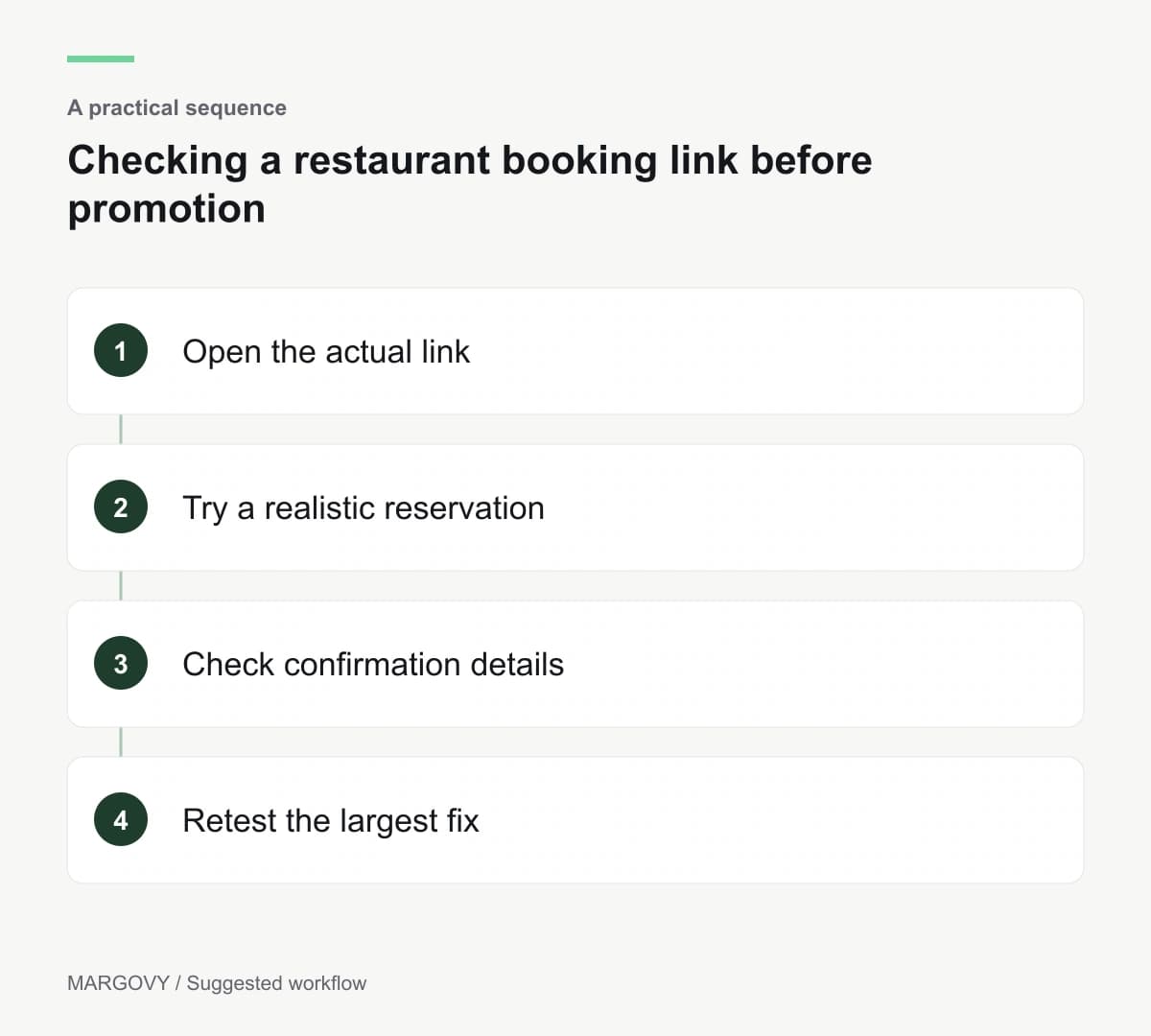
Checking a restaurant booking link before promotion
A restaurant campaign can send people to a booking page that makes the next step unnecessarily difficult. The link may open the wrong branch, show the wrong menu or leave the diner unsure whether a reservation succeeded.
Before writing another invitation, complete the journey from a customer's starting point.
A restaurant booking page check is most useful when you test the actual links guests receive.
Start from the Wi-Fi welcome page
Connect using a test device and open the reservation link from your guest page. Confirm it leads to the correct restaurant and an understandable booking screen.
Margovy's restaurant guest Wi-Fi can link to the reservation provider you already use. The destination still needs to be configured correctly.
Check the same link from your automated thank-you email. Different saved URLs can send diners to different versions of the booking journey.
Use Margovy's guest-page and email tools to review those entry points, then inspect the reservation service itself.
Try a realistic booking
Use a party size and time representative of your customers. Check what happens when that choice is unavailable.
A useful screen should explain the result and make alternatives understandable. A vague error gives the diner little reason to continue.
Read the menu information and any deposit or cancellation terms. Confirm that customers see material conditions before committing.
Where you test through to completion, use an agreed test arrangement with the restaurant team. Remove or cancel the test reservation promptly so it does not block a real table.
Look beyond the reservation button
Check whether the confirmation contains the correct date, time, address and contact details. Read any instructions for changing or cancelling.
Try the route for a larger group. If the restaurant handles those enquiries separately, explain that before someone completes an unsuitable form.
Review access information and the way customers raise specific requirements. A general notes box should not be treated as a guarantee that a request is accepted.
For guests who do not want to book online, provide an accurate alternative contact route.
Fix the largest obstacle first
Record the problem, where it occurs and who can change it. A wrong destination may be a venue-page edit; a confusing payment step may require the booking provider.
Repeat the relevant journey after the fix. There is no need to redesign the whole site to correct one broken link.
Track completed bookings through the reservation system. Wi-Fi activity and email clicks help locate interest, but they cannot establish that a table was reserved.
Contact Margovy if the issue concerns the route from the guest page, and direct reservation-system questions to the provider responsible.